

Remember that feeling? You’d just gotten home from school, finished your homework (mostly), and logged onto the family computer. The destination was singular: the Disney Channel website. Whether you were serving demanding guests in a chaotic Tipton Hotel lobby, creating the perfect rockstar outfit for Hannah Montana, or helping Kim Possible fight off another one of Dr. Drakken’s schemes, these games were a fundamental part of growing up in the 2000s. To learn more, check out ufac4
For millions, these simple browser-based adventures were a cultural touchstone. The library of Disney Channel games was a shared digital playground, a free and instantly accessible way to step into the worlds of our favorite shows. They weren’t just a way to kill time between episodes; they were a shared experience, a low-stakes challenge that connected an entire generation of kids who were just discovering what it meant to live, and play, online.
If you’ve recently felt that pang of nostalgia and tried to find them, however, you likely ran into a digital brick wall. The old links are dead, the official websites have completely changed, and the beloved games from the 2000s seem to have vanished without a trace. It’s a common point of confusion that has left many wondering if their favorite games are gone for good.
You’re not just misremembering, and it’s not a glitch in your memory. There is a concrete reason these nostalgic Disney Channel games disappeared. This guide explains what happened to that beloved corner of the web and explores the surprising ways fans are working to make sure these classics can still be played today.
Why We Couldn’t Stop Playing: The Secret Sauce of Disney’s Flash Games
It’s easy to look back and wonder what made these simple browser games so magnetic. Compared to the blockbuster games of today, they were incredibly basic. But their magic wasn’t found in stunning graphics or complex stories; it was in a clever formula that perfectly captured what young audiences were looking for after school.
The appeal of the best nostalgic Disney Channel games really came down to a simple, three-part recipe for fun:
- Play as Your Favorite Characters: The biggest draw, by far, was the chance to step into the world of the shows you loved. You weren’t just playing a game; you were helping Kim Possible on a mission, running the Tipton front desk in a Suite Life of Zack & Cody adventure, or casting spells with the Russo siblings. It made you a part of their world.
- Free and Instantly Accessible: In an era before app stores and in-game purchases became the norm, this was a game-changer. All you needed was a computer with an internet connection. There were no downloads, no installations, and no need to ask for a parent’s credit card—just pure, immediate fun.
- Simple, Satisfying Challenges: Whether you were stacking sandwiches in 626 Sandwich Stacker or serving up pizza in Bueno Rufus, the goals were straightforward. The games were easy to learn but had an addictive “one more try” quality that made them hard to put down.
This powerful combination of character connection, zero-cost accessibility, and addictive simplicity is why these games were so popular. They created a daily digital hangout for millions of fans. So, if they were such a huge success, where did they all go?
The Great Disappearance: What Happened to DisneyChannel.com Games?
If you’ve recently searched the official Disney site for a dose of nostalgia, you likely discovered that the games are simply gone. This wasn’t a decision by Disney to erase a beloved part of its history. Instead, the answer lies in a huge, internet-wide technology shift that made them all instantly obsolete.
The vast majority of those classic online games were built using a popular tool called Adobe Flash. The best way to understand Flash is to think of it like a special kind of built-in video player, almost like a VCR that used to be standard in every web browser. The games themselves were the VHS tapes, created specifically to be played in that VCR. For more than a decade, this was the system that powered nearly all animated and interactive content online.
However, as technology moved on, web browsers evolved. By the end of 2020, all major browsers officially stopped supporting Flash, effectively removing the “VCR player” for security and performance reasons. This industry-wide change meant that not just the Disney Flash games archive, but millions of other games and animations across the internet, went dark overnight. It left fans wondering if there was any way to play old Disney Channel games ever again.
So, Can You Still Play Original Disney Games?
The short answer is yes, but not in the way you might expect. While the original games are gone from Disney’s official websites, they aren’t lost forever. The moment these games vanished, a passionate community of fans sprang into action, determined to prevent a piece of their childhood from disappearing. This dedicated effort means that today, you can still find and play many of the lost Disney Channel Flash games, from 626 Sandwich Stacker to The Tipton’s Top-Notch Tangle.
Think of these fan-run projects as digital museums or libraries. Since the original “player” for these games (Adobe Flash) no longer exists in our browsers, these fans have carefully collected the old game files and found new ways to make them run. They have essentially built special exhibition halls online where anyone can come and experience these nostalgic classics again. It’s a testament to how much these simple games meant to an entire generation, saved not by a corporation, but by the very people who grew up playing them.
How to Safely Explore the World of Game Archives
Venturing into a Disney flash games archive can feel like uncovering a time capsule, but it’s important to remember you’re stepping outside of official, polished websites. Because these archives are fan-run passion projects, they don’t have the same corporate security teams behind them. This doesn’t mean they’re dangerous, only that a little bit of know-how is your best tool for safe online gaming.
To navigate these archives safely and get straight to the fun, keep three simple rules in mind.
- Use a Modern Browser and Ad-Blocker. Unofficial sites sometimes rely on aggressive pop-up ads for funding. A good ad-blocker (like uBlock Origin, which is free) cleans up the experience and helps block potentially shady advertisements before you ever see them.
- Never Download Suspicious “.exe” Files. This is the most important rule. Flash games are designed to be played directly in your web browser. If a website ever prompts you to download and run a file ending in .exe to play a game, close the tab immediately. These are executable files, or programs, and they are a common way to spread viruses.
- Understand These Are Unofficial. The games might have bugs, a link might be broken, or a site that worked yesterday might be gone today. It’s all part of the wild, fan-driven nature of game preservation!
Keeping these points in mind will let you explore with confidence. To get you started on the right foot, there is one project that has become the gold standard for game preservation and is widely trusted by the community.
Your First Stop: An Introduction to Blue Maxima’s Flashpoint
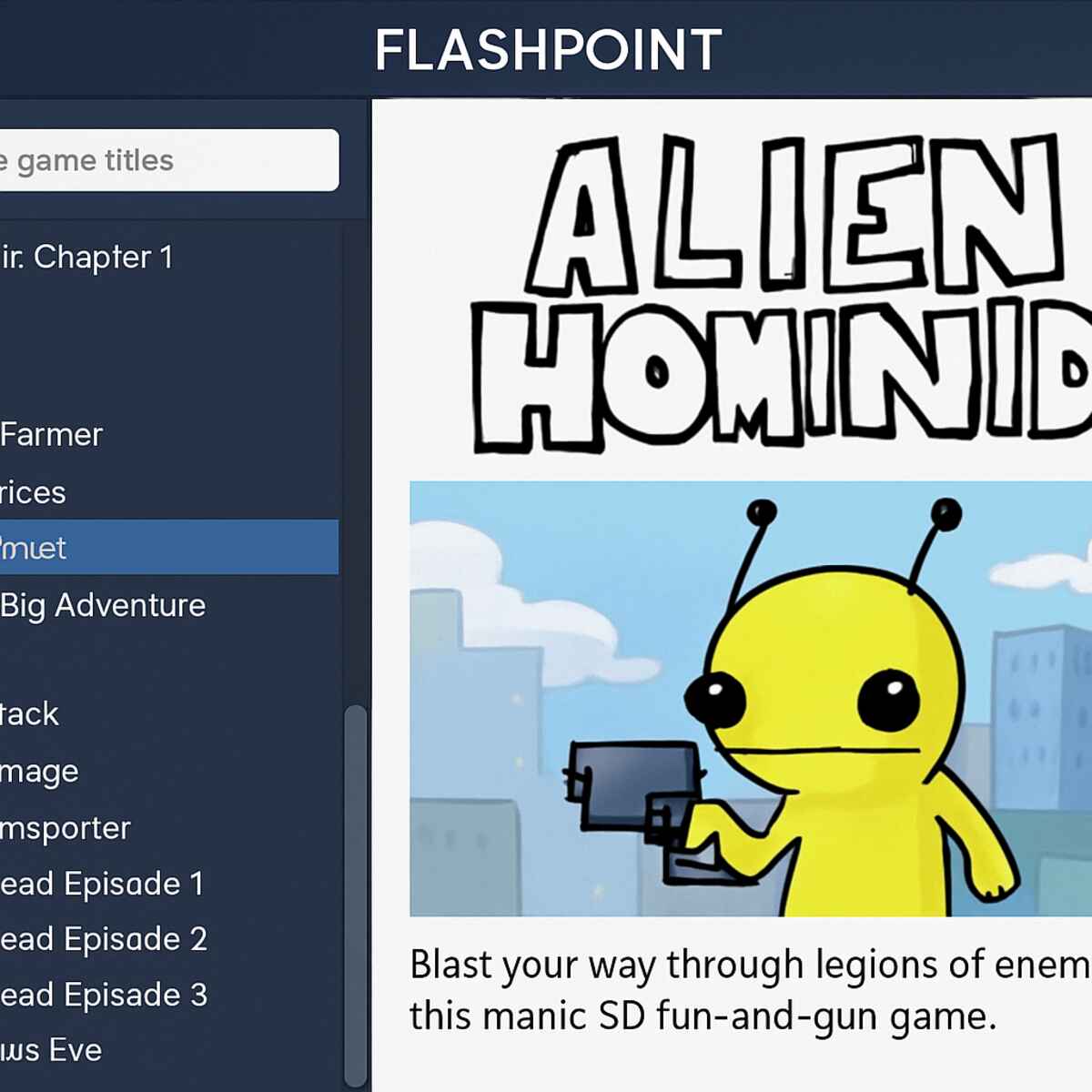
While many small fan-sites host a handful of games, one project stands above them all as the ultimate digital museum for web-based media: Blue Maxima’s Flashpoint. This incredible volunteer effort has successfully saved over 170,000 games and animations from being lost forever, including a massive library of the Disney Channel classics you’re searching for. Think of it less as a website you visit and more as a dedicated, trusted application you install on your computer, creating a personal vault of internet history. Its reputation for safety and thoroughness makes it the best starting point to play old Disney Channel games again.
Instead of navigating the web, Flashpoint works like a private library on your own computer. Once you run the program, you can search its entire catalog. For casual users, the best version is Flashpoint Infinity. With this version, the games are downloaded one by one, only when you choose to play them. This saves an enormous amount of hard drive space and is perfect for anyone who just wants to jump back into a few specific favorites like 626 Sandwich Stacker or a Kim Possible adventure without downloading the entire internet.
Using a single, well-maintained application like Flashpoint removes the guesswork and risk of browsing dozens of different websites. It’s a stable and secure environment built by people who are passionate about making sure these games are never truly gone. Because it contains so many of the most-requested titles, it’s the most comprehensive Disney flash games archive you can find.
A Deep Dive into the Vault: The Top 5 Most-Requested Disney Channel Games
With an enormous digital archive like Flashpoint at your fingertips, knowing where to begin can be overwhelming. It’s like stepping into a vast library filled with forgotten treasures. To help you start your nostalgic journey, we’ve gathered a “greatest hits” list of the games that fans remember and request the most. These are the titles that defined after-school computer time for a generation, and they’re waiting for you to find them.
First up is a frantic fan-favorite, The Suite Life of Zack & Cody: Pizza Party Pickup. The goal was straightforward: race through the Tipton Hotel on a luggage cart, delivering pizzas to familiar faces like London and Maddie. The real fun came from dodging obstacles, especially the ever-watchful Mr. Moseby. The increasing speed and satisfying sound effects of a successful delivery made the zack and cody pizza party pickup game an addictive classic you could play for hours.
Another legendary title is Lilo & Stitch’s 626 Sandwich Stacker. This game put you in charge of helping Stitch build impossibly tall sandwiches to feed his hungry alien family. You had to catch ingredients dropped from above, matching the order ticket while keeping the stack balanced. For anyone who remembers the lilo and stitch sandwich stacker online experience, the simple joy of watching a perfectly built tower—or seeing a wobbly one come crashing down—is an unforgettable piece of internet history.
Of course, no list would be complete without an action-packed adventure. The Kim Possible: A Sitch in Time game was less a single game and more a multi-part saga that let you step directly into an episode of the show. You guided Kim through different time periods, using her signature moves and grappling hook to battle classic villains like Drakken and Shego. It was beloved because it perfectly captured the spirit of the series.
The other titans of the era also had their own standout games. In Hannah Montana’s Rock Star Fashion Challenge, you could live out your pop star dreams by mixing and matching outfits for Hannah’s next big show, a simple dress-up game that offered endless creativity. For more chaotic fun, Wizards of Waverly Place: Waverly Sub Station challenged you to use magic to assemble sandwiches for impatient customers, testing your speed and memory with every level.
Searching for these titles and hearing their familiar music again is like opening a digital time capsule. The simple graphics and instantly recognizable gameplay are a powerful reminder of a different era of the internet. Now that you have a list of classics to hunt for, you might be wondering how to actually find and launch one.
Case Study: How to Find and Play ‘626 Sandwich Stacker’ Step-by-Step
Armed with a list of classics, you’re ready to start your search. The fan-favorite Lilo & Stitch’s 626 Sandwich Stacker provides a perfect example of how this process works, answering the question of how to play Disney games without Flash.
The process is surprisingly simple, usually taking less than a minute. Whether you are using a dedicated program like Flashpoint or a browser-based archive, the steps are nearly identical.
- Open the Archive: Launch your chosen game preservation platform.
- Use the Search Bar: This is your most powerful tool. You don’t need the exact title! Typing a key part of it, like “Sandwich Stacker,” or even just the show’s name, like “Lilo and Stitch,” will usually bring it right up.
- Click and Play: Select the game from the search results. It may take a moment to load—just like old times—but soon you’ll be catching ingredients and hearing that familiar music.
That’s really all there is to it. This three-step guide works for almost any title you can remember, from Pizza Party Pickup to hidden gems that weren’t on our list. Feel free to experiment by searching for your own personal favorites. While rediscovering these gems is a blast, you might wonder if anything today captures that same simple magic.
Are There Any Good Modern Alternatives to Disney Channel Games?
After rediscovering the simple joy of classic Flash games, it’s natural to wonder if there are any modern alternatives that capture the same spirit. The short answer is both yes and no. The official hub for today’s games is the DisneyNOW app, but visiting it feels like stepping into a different kind of theme park than the old disneychannel.com website. It’s built for a new generation with different expectations for their entertainment.
The biggest change comes from the shift from desktop computers to phones and tablets. Those original games were designed for a quick, 10-minute play session in a web browser—no downloads, no fuss. In contrast, most DisneyNOW games are built for mobile devices. They tend to be more graphically complex, feature longer-form gameplay, and are often supported by ads or in-app purchases—a very different model from their completely free ancestors.
Ultimately, understanding what happened to the old games means recognizing this shift in focus. While modern Disney games offer plenty of fun for today’s kids, they aren’t direct replacements for the classics. They’re a different product for a different era. The unique charm of the originals—their simplicity and browser-based accessibility—is precisely what makes them worth preserving and rediscovering.
Your Rediscovered Playground: How to Keep the Nostalgia Alive
That feeling of a forgotten memory on the tip of your tongue—the catchy music from a Tipton Hotel game or the satisfying click of a Kim Possible gadget—is no longer a mystery. Before, you might have felt like these beloved games were lost forever, a hazy part of your digital childhood that had simply vanished. Now, you understand the story behind their disappearance and, more importantly, you know that dedicated fans have been working to keep that history alive. You’re equipped not just with answers, but with a map to these digital time capsules.
Your journey back to the 2000s can start today. The next time you have a spare moment, try searching for a community or fan archive dedicated to preserving these games. This isn’t just a technical task, but an act of digital archaeology. Let your curiosity be your guide as you click through the collections, rediscovering the simple joy of stacking sandwiches for Stitch or helping Hannah Montana choose an outfit for her next show.
Ultimately, these games were more than just a way to pass the time; they were a shared cultural experience. The real magic in rediscovering them isn’t just in playing—it’s in sharing. When you find a long-lost favorite, send the link to a sibling or an old friend. You’re not just sharing a game; you’re reigniting a connection and a shared memory. Go ahead and play these old games, and in doing so, help bring a piece of that joyful past back into the present.
